Resume Contact Information: What to Include and What to Leave Off (2026)

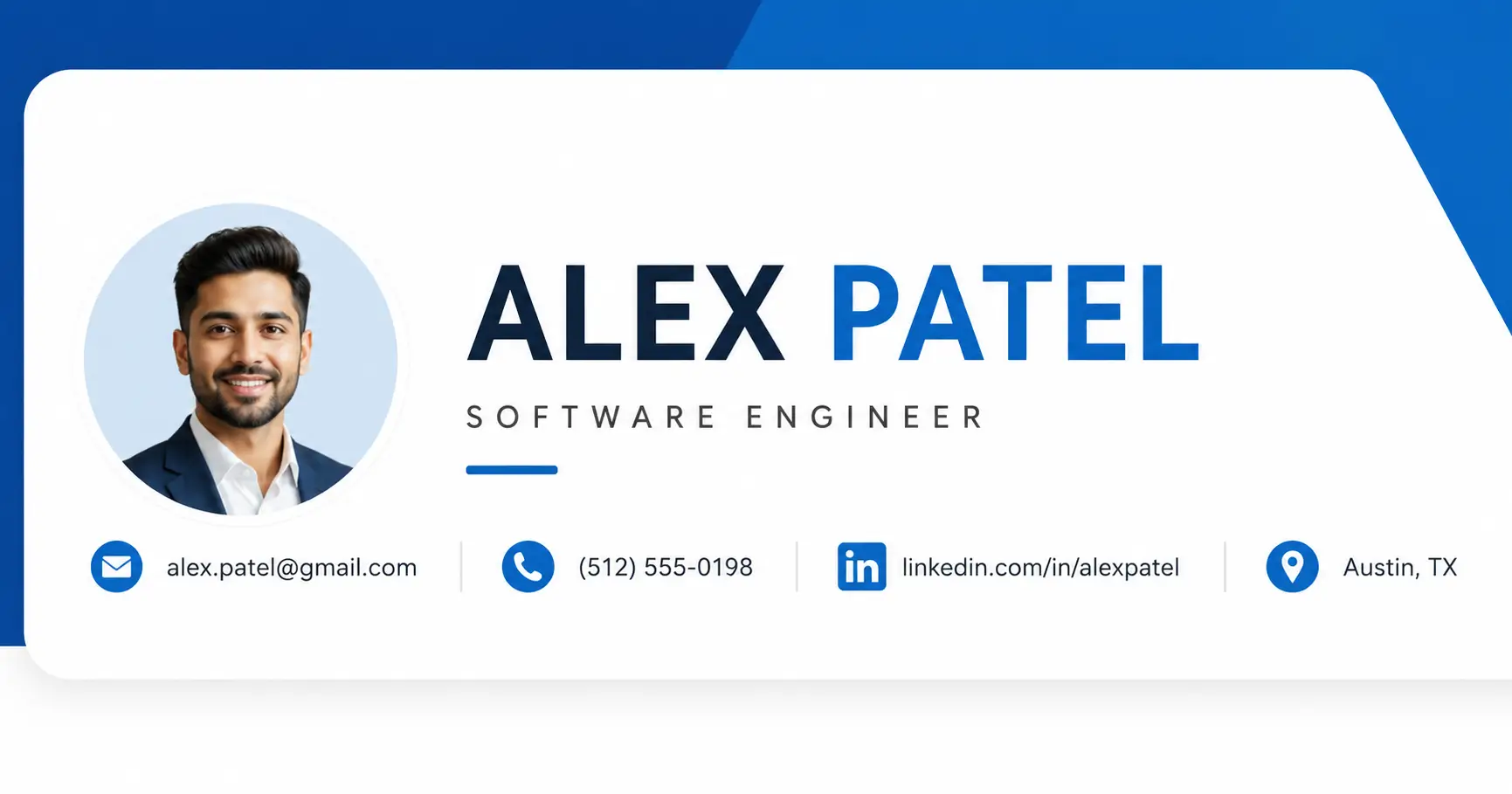
Your resume contact section takes up roughly two lines of space. It also happens to be the only part a recruiter *needs* to get right. A missing area code, an outdated email, or a LinkedIn URL that leads nowhere can quietly kill an application before anyone reads your bullet points. And in 2026, privacy matters more than ever—listing the wrong details can expose you to identity theft, geographic bias, or unconscious discrimination.
This guide covers exactly which contact details belong on your resume, how to format them for ATS compatibility, and what to leave off entirely. You'll also get country-specific rules if you're applying internationally.
The Six Essential Contact Details
Every resume in 2026 needs these six elements in the header. Nothing more, nothing less for most domestic applications.
1. Your Full Name
Your name goes at the top of the page in the largest font on the document—typically 18–24pt while the rest of the resume sits at 10–12pt. Use the name you go by professionally. If your legal name is "Aleksandr" but every colleague and hiring manager knows you as "Alex," use Alex. If you've published under a different name or hold certifications in a specific name, match the version that appears on your LinkedIn profile for consistency.
Skip titles like "Mr." or "Ms." and don't add credentials after your name unless they're directly relevant (CPA, PMP, RN). If they matter for the role, include them. If they don't, they're clutter.
2. Phone Number
List one phone number—the one you actually pick up. Include the country code if you're applying internationally (+1 for U.S., +44 for UK, etc.). Format it consistently: (555) 123-4567 or 555-123-4567 both work, but pick one style and stick with it.
Set up a professional voicemail greeting. Recruiters who hit a generic carrier message or, worse, a full mailbox will move on.
3. Professional Email Address
Your email should follow a simple firstname.lastname@provider.com pattern. Gmail, Outlook, and iCloud are all fine. What isn't fine: party handles from 2009, your current work email (your boss doesn't need to see those recruiter replies), or anything with random numbers that look like a throwaway account.
If your name is common and firstname.lastname is taken, try a middle initial or a slight variation—john.m.smith@gmail.com reads just as well.
4. Location (City and State Only)
Full street addresses disappeared from resumes years ago, and for good reason. Employers don't send postal mail to candidates. They want to know two things: whether you're local or would need relocation, and which office geography makes sense.
"Austin, TX" or "Greater Chicago Area" gives them exactly enough information. If you're applying to remote-only positions, you can write "Remote — Austin, TX" to signal both your flexibility and your time zone.
Never include your ZIP code or street address. It's a privacy risk that adds zero value.
5. LinkedIn Profile URL
According to LinkedIn's own data, candidates with an active profile are significantly more likely to get interview callbacks than those without one. But here's the catch—only include your LinkedIn URL if the profile is at least minimally complete: a professional photo, a headline beyond the default, your current role listed, and a few past positions filled in.
Customize your URL to something clean like linkedin.com/in/janedoe instead of the default string of numbers. It looks more polished on paper and in ATS systems.
6. Portfolio or Professional Website (When Relevant)
Designers, developers, writers, marketers, and anyone with a body of work should include a portfolio link. Use a clean domain (janedoe.dev, janedoedesign.com) or a recognizable platform link (github.com/janedoe, dribbble.com/janedoe).
If you don't have a portfolio and the role doesn't require one, skip this line. An empty GitHub profile hurts more than no link at all.
How to Format Your Contact Section for ATS
Applicant tracking systems parse your header to auto-populate candidate records. A formatting mistake here means your phone number ends up in the "name" field or your email gets skipped entirely. Follow these rules:
Keep it in the document body, not the header/footer. Many ATS platforms can't read text placed in Word or Google Docs header and footer sections. Place your contact information in the main body of the document at the top of page one.
Use a single line or two-line layout. Separate items with pipes (|), bullet characters (·), or generous spacing. Example:
```
Jane Smith
jane.smith@gmail.com | (555) 123-4567 | linkedin.com/in/janesmith | Austin, TX
```
Avoid icons, graphics, and text boxes. ATS parsers can't interpret a phone icon or an envelope emoji. Use plain text labels if you need clarity, though most parsers handle the standard format fine without labels.
Don't use tables for layout. Some resume templates use invisible tables to position contact details side by side. ATS systems frequently scramble table content. Stick to regular text flow.
Seekario's AI Resume Builder generates ATS-safe headers automatically, so you don't have to guess whether your formatting will parse correctly.
What to Leave Off Your Resume in 2026
Knowing what *not* to include protects both your privacy and your chances. Here's what to cut:
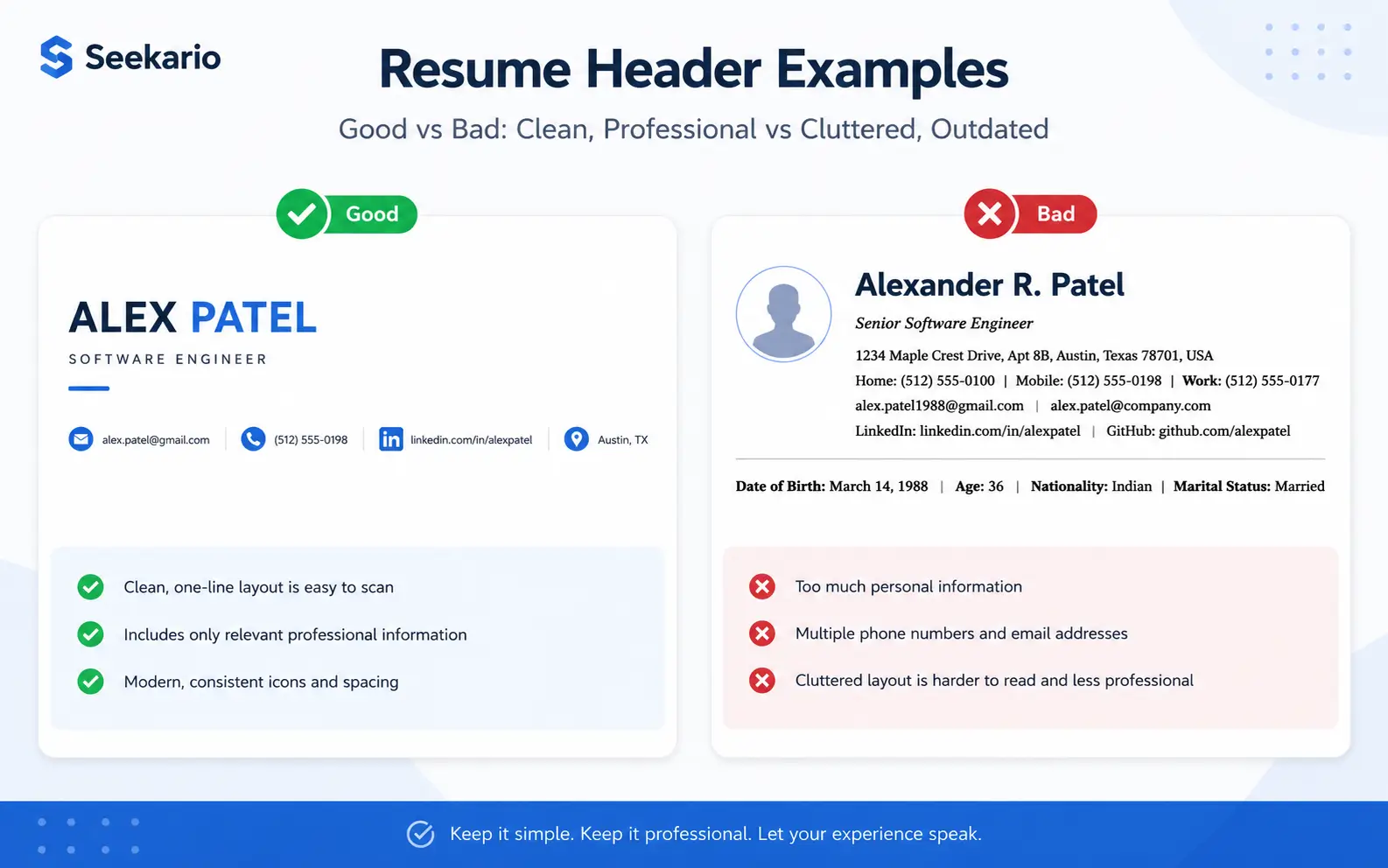
Full home address. Employers never contact candidates by mail. A street address invites geographic bias ("too far to commute") and creates an identity theft vector when your resume circulates across job boards.
Date of birth or age. Age discrimination is illegal in many countries, but providing your birth date makes it easy for bias to creep in unconsciously. Leave it off entirely.
Marital status, nationality, or religion. None of these belong on a resume in English-speaking countries. They're irrelevant to your qualifications and can trigger bias.
Social media handles (except LinkedIn). Unless you're applying for a social media role and your personal accounts showcase professional-grade content, keep Instagram, TikTok, and Twitter off the resume.
"References available upon request." This phrase has been unnecessary for over a decade. Employers know they can ask. It wastes a line.
Second phone number or second email. Multiple contact methods create confusion. One phone, one email. That's it.
Want to check whether your resume header is clean and complete? Run it through the AI Resume Checker tool for instant feedback.
International Resume Headers: Photo and Personal Detail Policies by Country
Resume norms vary dramatically across borders. What's standard in Germany could get your application discarded in the U.S. Here's a quick reference:
No photo, minimal personal details: United States, Canada, United Kingdom, Australia, Netherlands, Sweden, Ireland. Anti-discrimination laws mean photos are discouraged. Stick to name, phone, email, location, and LinkedIn.
Photo expected, additional details common: Germany, Austria, Switzerland, France, Belgium, Spain, Portugal. A professional headshot is standard. Some employers also expect nationality and date of birth, though this is slowly shifting.
Photo required, formal details standard: Japan, South Korea, China, most Middle Eastern countries. CV photos are standard practice. Additional personal details like date of birth and marital status may be expected depending on the employer.
The LinkedIn Bridge strategy: If you're unsure about photo norms for a specific country, leave the photo off your resume but make sure your LinkedIn profile features a strong professional headshot. Recruiters who want to see your face will check LinkedIn regardless.
When tailoring your resume for international applications, Seekario's AI Resume Tailor can help you adjust your header format to match regional expectations for specific job postings.

Common Contact Section Mistakes (and How to Fix Them)
Even small errors in your contact section can cost you interviews. Here are the most frequent ones:
Unprofessional email address. "sk8terdude99@hotmail.com" signals carelessness. Create a dedicated job search email if your current one doesn't look professional. Takes two minutes.
Broken LinkedIn URL. Copy-paste your URL from the browser bar and test it in an incognito window. Custom URLs sometimes get claimed by someone else if you change your name settings.
Missing area code. Recruiters aren't going to guess your area code. Always include it—especially for phone screens where they may be dialing from a different state.
Outdated location. If you've moved recently or plan to relocate, update your city to reflect where you'll be when you start the role. You can add "Relocating to Denver, CO" if you haven't moved yet.
Header buried in a Word document header. This is the most common ATS-related mistake for contact sections. Move your details into the main document body.
FAQ
Should I include my full address on a resume?
No. City and state (or city and country for international applications) is sufficient. Full street addresses create privacy risks and can introduce geographic bias without adding any value to your application.
What email provider should I use on my resume?
Gmail, Outlook, and iCloud are all professional choices. The provider matters less than the format—use a variation of your real name. Avoid novelty domains or handles that don't include your name.
Do I need LinkedIn on my resume?
It's strongly recommended. Recruiters routinely check LinkedIn profiles, and including a link makes it easy for them. However, only add your URL if your profile is reasonably complete. An empty profile reflects poorly.
Should I put a photo on my resume?
In the U.S., UK, Canada, and Australia—no. In much of continental Europe, Asia, and the Middle East—often yes. Research the norms for the specific country and industry you're targeting.
Where should my contact info appear on the resume?
At the very top of page one, in the main document body (not in the Word header/footer section). This ensures ATS software can parse it correctly.
Get Your Resume Header Right the First Time
Your contact section is small but critical—it's the bridge between your qualifications and the recruiter's inbox. Stick to the six essentials (name, phone, email, location, LinkedIn, and portfolio when relevant), leave off everything else, and format for ATS compatibility.
If you want a second opinion on whether your resume header—and the rest of your resume—is ready to send, try Seekario's AI Resume Builder. It formats your contact section correctly, checks for common mistakes, and makes sure every part of your resume works together to land interviews.